
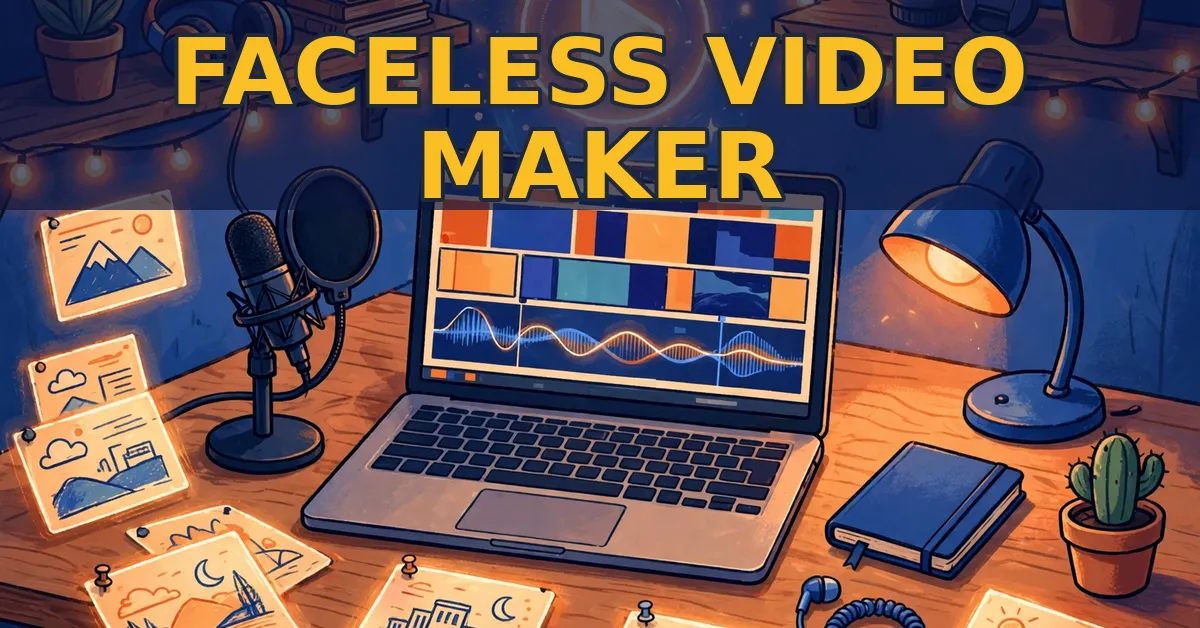
A faceless video maker turns an idea into a finished video without a camera, a face, or a studio. You type a sentence, and the tool writes the script, adds a voice, builds the pictures, and cuts the video. This guide shows you how to use one well, step by step.
You will learn how to pick a niche, write scripts that hold attention, choose a voice, and publish on a steady routine. I will also show you the tool I recommend for this job, plus the real limits you must plan around. For the full tool details, see my CineMill Creator review.
Quick Answer
The short version: pick one niche and one format first. Then write short, clear scripts with a hook in the first 10 seconds. Next, use one steady voice and one visual style for every video. Finally, publish on a fixed schedule and improve one thing per video. A faceless video maker handles the heavy work, but your niche, script, and routine decide whether viewers stay.
What Is a Faceless Video Maker?
A faceless video maker is a tool that builds a complete video from a text idea, with no person on camera. It writes the script, reads it aloud with an AI voice, creates a picture for each scene, and adds motion, music, and subtitles. You never need to film yourself, record your own voice, or edit a timeline by hand.
The format fits story channels best. Think money stories, wisdom tales, mystery, kids’ stories, and motivation. These channels use illustrated scenes and a calm narrator. The viewer follows the story, not a presenter. As a result, one person can run a whole channel from a laptop.
However, the tool is only half the job. It can build a video in minutes, but it cannot choose your niche or write a story worth hearing. That part is yours. Therefore, treat the tool as a studio, not a shortcut. Your taste and your routine still decide the result.
A good faceless video maker should cover five jobs in one place. First, script writing. Second, a natural voice. Third, pictures that match each scene. Fourth, motion and subtitles. Fifth, titles, descriptions, and tags for upload. If a tool skips one of these, you must fill the gap yourself. So check the full workflow before you commit.
Pick Your Niche and Genre First
New creators often start with random ideas. That is the fastest way to fail. A channel needs one clear promise, so a viewer knows what the next video will be. Pick one niche, then stay inside it for your first 20 videos.
Good niches for faceless videos share three traits. First, the audience is large and easy to find. Second, the stories are endless. Third, the topic fits narration and pictures. Money stories, life lessons, history, mystery, and kids’ tales all pass this test. In contrast, fast news and trend gossip age badly, so avoid them at the start.
Next, pick a genre that matches your niche. A faceless video maker usually offers a set of genres, such as money, wisdom, mystery, kids’ stories, and motivation. For example, CineMill Creator includes 5 genres in its front end. Choose the one that fits your channel promise, then use it for every video until your audience tells you otherwise.
Finally, write your channel promise in one sentence. Try this frame: “This channel tells [type of story] for [type of viewer].” If you cannot fill in the blanks, your niche is still too vague. Keep narrowing until the sentence is clear. Then test it with 10 video ideas before you publish anything.
Write Scripts That Hold Attention

The script is the most important part of a faceless video. Viewers cannot see your face, so your words must carry the whole video. A weak script with great pictures still loses viewers. A strong script with simple pictures can still win.
Start with a hook in the first 10 seconds. The hook must promise a payoff, not just describe the topic. For example, “He found a letter from his younger self” beats “This is a story about a lighthouse keeper.” The first line creates a question. The second line only states a fact. Viewers stay for questions, so open with one.
Then follow a simple three-part shape. First, set up the character and the problem in one or two short scenes. Second, add a twist or a hard choice in the middle. Third, end with a clear payoff that answers the opening question. This shape works for a 60-second Short and for a 10-minute story alike. Keep it simple, and the viewer can follow it.
Write for the ear, not the eye. Short sentences work best. One idea per sentence keeps the narration clear. Read your script aloud before you build the video. If a sentence feels long or clumsy when spoken, cut it in half. In addition, cut every line that does not move the story forward. A tight script sounds confident, while a padded script sounds lost.
Finally, end with a reason to watch the next video. A short line works well, such as “Tomorrow, a story about the sailor who never came home.” This turns one view into a habit. As a result, your channel grows one returning viewer at a time, not one viral video at a time.
Choose a Voice Viewers Trust
The voice is the face of a faceless channel. Viewers hear it for minutes at a time, so it must sound calm, clear, and human. A harsh or rushed voice drives viewers away fast, even when the story is good. Therefore, test voices before you commit to one.
Listen to each voice with the same test script. Use a real paragraph from your niche, not a demo line. A voice that sounds warm on a greeting can sound flat on a sad scene. So judge it on your own words. Then pick one voice and use it for every video on the channel.
Also, match the voice to your audience. A gentle story for children needs a soft, slow read. A money story for adults can take a firmer, steadier tone. CineMill Creator includes US and UK English voices in its front end. Pick the accent your audience expects, then keep it. If you later need other languages, note that the Pro upgrade adds Spanish, French, Italian, Portuguese (Brazil), and Hindi.
Pictures, Motion, and Subtitles

Pictures do the visual work in a faceless video. Each scene needs an image that matches the words at that moment. When the picture and the narration agree, the viewer relaxes into the story. When they clash, the viewer feels confused and clicks away.
Keep one visual style for the whole channel. The same characters should look the same from the first scene to the last. In addition, the colors and lighting should stay steady across videos. A channel that jumps between styles looks unfinished. A channel with one look feels like a real show.
Motion matters too. A slow zoom or a gentle pan turns a still picture into a living scene. Static slides look cheap, so add motion to every scene. However, keep the motion slow and smooth. Fast zooms distract from the story, while slow moves support it.
Subtitles are not optional. Many viewers watch with the sound off, so clean subtitles timed to the voice are a basic need. They also help viewers who speak English as a second language. Check that the subtitles match the narration word for word. If they drift, the video feels broken.
One warning applies here. With CineMill Creator, the pictures depend on Google Flow, which the tool opens and drives in Chrome with your own free Google account. Google’s daily limits apply, so if you reach one, you continue later with one click. Plan your picture work around that limit. Build pictures early in the day, and keep spare ideas ready for days when the limit hits.
Pick the Right Format: 16:9 or 9:16

Format is a choice, not an afterthought. Wide 16:9 fits long YouTube videos watched on a TV or laptop. Vertical 9:16 fits Shorts, TikTok, and Reels watched on a phone. The same story can work in both, but each format needs its own pacing.
Long videos run 5 to 20 minutes in a faceless video maker like CineMill Creator. They suit deep stories with a slow build and a strong payoff. Viewers choose them on purpose, so they forgive a slower opening. However, they still need a hook in the first 30 seconds, or the click is wasted.
Shorts run under 60 seconds. They suit one sharp idea, one twist, or one lesson. The hook must land in the first 3 seconds. There is no time for a slow setup. Therefore, write Shorts as a single scene with a fast payoff, not as a cut-down long video.
Set Up Your Channel the Right Way
Channel setup takes one afternoon, but it shapes every video after it. Start with a name that says what the channel tells. A name like “Harbor Tales” tells a viewer more than a name like “Cool Videos 99.” Keep it short, easy to spell, and easy to say aloud.
Next, write a channel description that states your promise in two lines. Say who the stories are for and how often new videos arrive. For example: “Short story videos for quiet evenings. New stories every Tuesday and Friday.” A clear promise turns a casual viewer into a subscriber.
Then set your branding once and reuse it everywhere. Use the same logo, the same colors, and the same intro and outro on every video. CineMill Creator lets you add your logo as a watermark and build your intro and outro from it. The front end covers 1 channel, so start with one channel and grow it well before you add a second.
Finally, prepare your upload text before you publish. Every video needs a title, a description, tags, and a thumbnail. Write the title last, after the video is done, so it matches the real payoff. A faceless video maker that drafts title ideas, a description, hashtags, tags, and a thumbnail saves real time here, because metadata is the part most new creators rush or skip.
Build a Publishing Routine You Can Keep

Growth comes from a routine, not from one great video. A channel that publishes twice a week for three months beats a channel that publishes daily for two weeks and then stops. Pick a pace you can hold for 90 days, then protect it.
A simple weekly routine looks like this. On day one, pick the idea and write the script. On day two, build the video and check the voice, pictures, and subtitles. On day three, publish and write the title, description, and tags. Then repeat. Batch the work when you can. For example, write three scripts on Sunday, then build one video per day.
What It Costs: Credits, Limits, and the Honest Math
Every faceless video maker has a cost model. Some charge monthly. Some charge per video. CineMill Creator charges $17 one-time, with no monthly fee for the app. That low entry price is real, but the limits behind it are real too. So do the math before you buy.
Your purchase includes 100,000 AI credits, valid for 1 year. One credit equals one character the AI reads or writes. The vendor says that covers about 10 AI-written 10-minute videos, or many more Shorts. Pictures, voices, Try again, and another video from the same script use no credits.
That math shapes your routine. Ten long videos is not a lot if you publish twice a week. It lasts about five weeks. Shorts stretch the credits much further, so a smart start is Shorts first, then long videos. You can add more credits anytime, but the price of extra credits is not on the sales page. Plan for that unknown cost.
The Everything Bundle costs $197 one-time. It takes every plan at once: the front end, plus Pro (13 genres, 7 languages, dialogue voices, cinematic motion), Multiplier Agency, the DFY Idea Vault with 780 ready video ideas, Reseller, 2,500,000 AI credits, unlimited channels, and 5 computers. Bundle buyers skip the upgrade offers. However, the individual upgrade prices are not disclosed, so you cannot work out the full funnel cost from the sales page alone.
Two more limits deserve a plain note. First, the pictures depend on Google Flow and your free Google account’s daily limits, as noted above. Second, the refund is a short 7-day refund, only for technical problems support cannot fix. There is also a 1-year support warranty, with real people and real answers within 24 hours if anything does not work. Read both terms before you buy, and keep your expectations honest.
Mistakes That Kill New Faceless Channels
Most new faceless channels fail for the same few reasons. Here are the five mistakes I see most often.
First, no niche. A channel that posts a money story on Monday, a cooking video on Wednesday, and a gaming clip on Friday confuses every viewer. YouTube cannot tell who the channel is for, so it shows the videos to no one. Pick one niche and stay in it.
Second, a slow opening. The first 10 seconds decide the video. If nothing happens, the viewer leaves. Start with the question or the twist.
Third, a changing voice and look. A new voice each week and a new art style each video make the channel feel random. Viewers subscribe to a familiar show, not to a new show every time. Lock your voice, your style, and your colors early.
Fourth, no routine. Three videos in one week, then silence for a month, teaches viewers not to return. A slow, steady pace beats a fast, broken one. Two videos a week, every week, is a strong start.
Fifth, believing the income hype. Faceless channels can earn real money, but only after months of consistent work. The sales page for CineMill Creator says this plainly, and that honesty is rare. Anyone who expects income from a few videos will quit too soon. Plan for months, not days.
The Tool I Recommend: CineMill Creator
After researching the options, the tool I recommend for starting a faceless story channel is CineMill Creator. It is a $17 one-time AI video studio from ThanhDaisy and Alessandro Zamboni. It turns one typed sentence into a finished story video with a script, voice, pictures, motion, music, and subtitles.
It fits this guide because it covers the whole workflow in one app. You type an idea, pick one of the 5 genres, choose a US or UK English voice, and press Create. The video comes back in wide 16:9 or vertical 9:16, as a Short under 60 seconds or a long video of 5 to 20 minutes. It also gives you title ideas, a description, tags, and a thumbnail. Your video is saved on your own computer, ready to upload.
The price is the clearest strength. At $17 one-time with no monthly fee, it is cheap to try. The limits are the honest trade-off. The 100,000 credits expire after one year, the pictures depend on Google Flow and its daily limits, and the upgrade prices are not disclosed. My full review rates it 3.5/5 for exactly that balance. Read the full review before you buy: CineMill Creator review.
If you want everything at once, the Everything Bundle costs $197 one-time and adds the Pro features, the agency tools, the 780-idea vault, the reseller license, 2,500,000 credits, unlimited channels, and 5 computers. Start with the $17 front end first, and upgrade only when you hit a limit that blocks your routine.
Frequently Asked Questions
What is a faceless video maker?
A faceless video maker is a tool that builds a complete video from a text idea without anyone on camera. It writes the script, adds an AI voice, creates pictures for each scene, and adds motion, music, and subtitles. You publish the finished video to YouTube, TikTok, or Reels.
Do I need to show my face or use my voice?
No. That is the whole point of the format. The video uses illustrated scenes and an AI narrator, so your face and your voice never appear. You only need a good script and a clear niche.
How long should a faceless video be?
Shorts should run under 60 seconds, with the hook in the first 3 seconds. Long story videos should run 5 to 20 minutes, with a hook in the first 10 to 30 seconds. Start with Shorts to learn fast, then add long videos once your routine is steady.
Can I monetize faceless videos?
The videos are yours to publish, and YouTube decides what it monetizes. Make original, valuable videos and follow its rules. The vendor does not promise views or income, and neither do I. Results take months of consistent work.
How much does CineMill Creator cost?
The front end costs $17 one-time, with no monthly fee, and includes 100,000 AI credits valid for 1 year. The Everything Bundle costs $197 one-time. Individual upgrade prices are not disclosed on the sales page. See my CineMill Creator review for the full pricing breakdown.
What are the limits I should know?
Three limits matter most. First, the 100,000 credits expire after one year and cover about ten 10-minute videos. Second, pictures depend on Google Flow and your free Google account’s daily limits. Third, the refund is 7 days and only for technical problems support cannot fix. Plan your routine around all three.
Affiliate Disclosure
This guide contains links to my review of CineMill Creator, which contains affiliate links. If you buy through them, Pickzox may earn a commission at no extra cost to you. I only recommend products I have researched honestly, and this guide lists the real limits alongside the benefits. Prices change over time, so check the live listing before you buy.