

Faceless story channels are earning real money on YouTube right now. The hard part is making the videos. CineMill Creator promises to do the whole job from one typed sentence for a one-time $17. This review tests that promise against the sales page, lists the real pros and cons, and gives you an honest verdict.
New to faceless videos? Start with our step-by-step Faceless Video Maker guide.
Quick Verdict
Rating: 3.5/5
The short version: CineMill Creator is a $17 one-time AI video studio from ThanhDaisy and Alessandro Zamboni. It turns one sentence into a finished story video with a script, voice, pictures, motion, music, and subtitles. The price is low, there is no monthly fee, and the sales page is unusually honest. However, the 100,000 credits expire after one year, the pictures depend on Google Flow, and the upgrade prices are not disclosed. So treat it as a cheap way to start a faceless channel, not a magic income machine.
Best for: new YouTubers who want to start a faceless story channel without editing skills, a monthly subscription, or their own voice on camera.
Get CineMill Creator — $17 One-Time
What Is CineMill Creator?
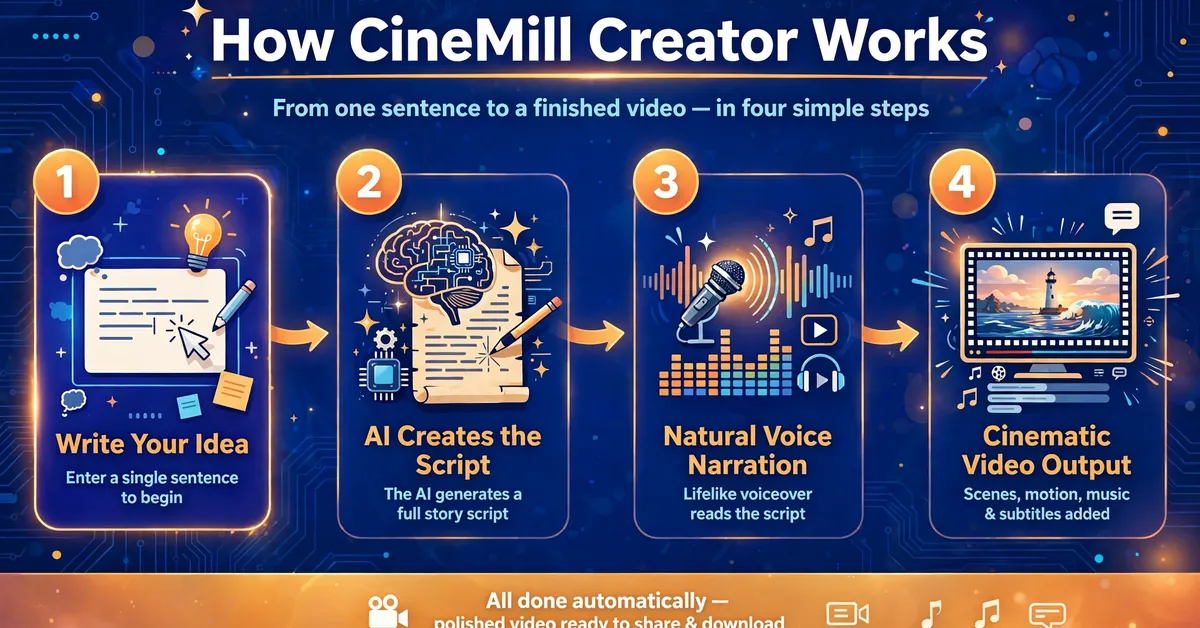
CineMill Creator is a $17 one-time AI video studio by ThanhDaisy and Alessandro Zamboni that turns one typed sentence into a finished cinematic story video. It writes the script, adds a natural voice, creates a picture for every scene, and adds motion, music, subtitles, a title, and a thumbnail — no editing skills, monthly fees, or API keys needed.
The idea is simple. You type an idea, such as “An old lighthouse keeper finds a message in a bottle written by his younger self.” Then you pick a genre and a voice, and press Create. CineMill builds the whole video, then gives you title ideas, a description, tags, and a thumbnail. Your video is saved on your own computer, ready to upload.
You can also paste text you already have. Stories, news, articles, book chapters, Reddit posts, scripts, or video transcripts all work. CineMill uses your words as they are, or lets the AI rewrite them into a fresh, original script. Each video can be a Short under 60 seconds or a long YouTube video of 5 to 20 minutes, in wide 16:9 or vertical 9:16.
The app targets faceless story channels. These are channels with illustrated stories, a calm narrator, and no face on camera. Money stories, wisdom stories, mystery, kids’ tales, and motivation all fit. The sales page shows two real channels in this style, with 43,200 and 148,000 subscribers. It states plainly that those channels are not theirs and were not made with CineMill. That honesty is rare on a WarriorPlus sales page, and it counts in the product’s favor.
Who Created CineMill Creator?
CineMill Creator comes from ThanhDaisy, with Alessandro Zamboni named as a collaborator. The sales page quotes ThanhDaisy thanking Alessandro for helping the product succeed. Alessandro is a known WarriorPlus vendor with a long launch history, so his name adds a small positive signal. It is not a guarantee of quality, though.
I could not verify an independent public track record for ThanhDaisy from the sales page alone. The page gives no launch history, no company details, and no user reviews. That is normal for a brand-new WarriorPlus launch, but it means you are buying on the strength of the offer and the 7-day refund, not on a proven reputation. The 1-year support warranty helps here: the vendor promises real people and real answers within 24 hours if anything does not work.
CineMill Creator Features — In Detail
AI Script Studio
The AI writes the script for your genre, with hooks, pacing, and endings tuned to what that audience loves. You can write from an idea, paste your own script, or rewrite a story into a new original. The script is the foundation of the whole video, so this is the feature that matters most.
Natural AI Voices
Warm, clear narrators read your script in US and UK English. The voices are made right on your computer, so there are no per-character voice fees, ever. You can press Listen to hear a voice before you choose it. The Pro upgrade adds Spanish, French, Italian, Portuguese (Brazil), and Hindi.
Cinematic Pictures
Every scene gets a picture in your genre’s style, with the same characters from start to end. The pictures are made with Google Flow, Google’s picture tool, which CineMill opens and drives in Chrome with your own free Google account. Google’s daily limits apply, so if you reach one, you continue later with one click. This is the biggest outside dependency in the product.
Motion and Transitions
Smooth camera moves and soft dissolves bring every picture to life. Static slides look cheap, so motion matters. The Pro upgrade adds cinematic motion and dialogue voices for scenes with more than one speaker.
Subtitles Built In
Clean subtitles are timed to the voice, plus an .srt file for YouTube. Many viewers watch without sound, so subtitles are not a nice extra. They are a basic need, and CineMill includes them.
Title, Description, and Thumbnail
Every video gets click-worthy title ideas, a full description, hashtags, tags, a pinned comment, and a thumbnail. One click copies all the YouTube text. This saves real time, because metadata is the part most new creators rush or skip.
Channel Branding
Your logo works as a watermark, and CineMill builds your intro and outro from it. Your music and links are added to every video automatically. The front end covers 1 channel. The bundle lifts that limit to unlimited channels.
Wide or Vertical
Wide 16:9 fits YouTube long videos. Vertical 9:16 fits Shorts, TikTok, and Reels. The same idea can become either format, so one script can feed every platform you use.
The Credit System
Your purchase includes 100,000 AI credits, valid for 1 year. One credit equals one character the AI reads or writes. The vendor says that covers about 10 AI-written 10-minute videos, or many more Shorts. Pictures, voices, Try again, and another video from the same script use no credits. The app shows the cost before you press Create, so there are no surprise charges. You can add more credits anytime, but the price of extra credits is not on the sales page.
CineMill Creator Pricing & Funnel Explained
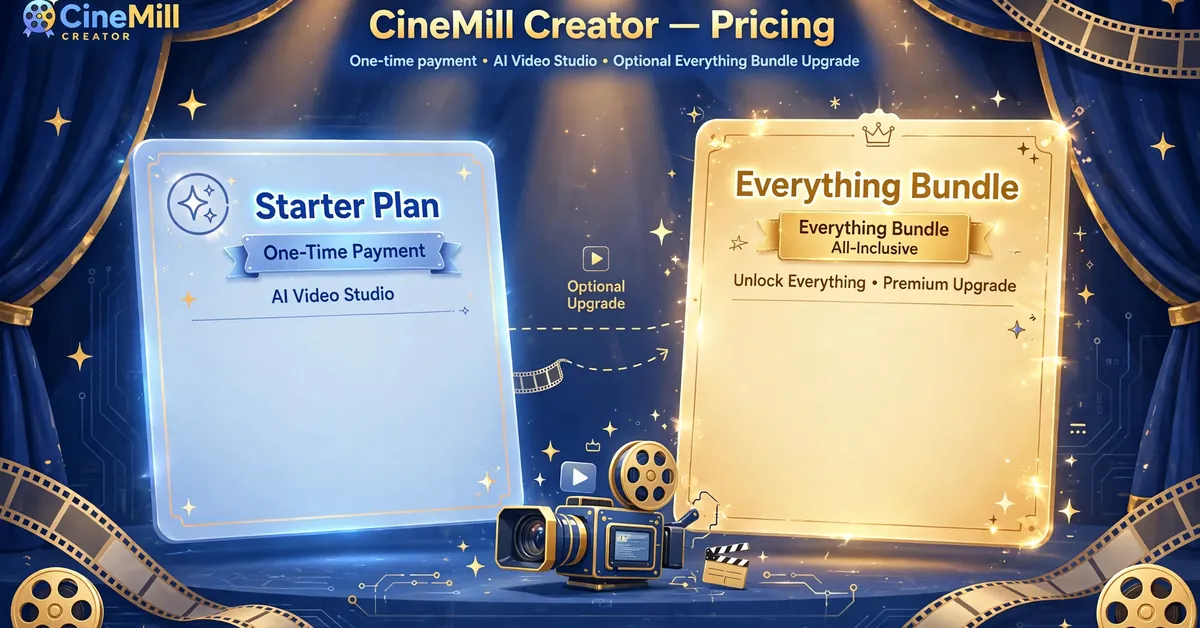
The front end costs $17 one-time. There is no monthly fee for the app. For that price, you get the full studio: idea to finished video, 5 trending genres, US and UK English voices, wide and vertical formats, title and thumbnail tools, 1 channel with your logo, intro, and outro, 100,000 AI credits, 2 computers (Windows or Mac), and a 1-year support warranty.
The Everything Bundle costs $197 one-time, listed as $275 with $78 saved. It takes every plan at once: the front end, plus Pro (13 genres, 7 languages, dialogue voices, cinematic motion), Multiplier Agency (Shorts Multiplier, Batch Shorts, client rights), DFY Idea Vault (780 ready video ideas), Reseller (100 licenses to sell, keep 100%), 2,500,000 AI credits, unlimited channels, and 5 computers. Bundle buyers skip the upgrade offers.
The individual upgrade prices are not disclosed. The sales page does not publish separate prices for Pro, Multiplier Agency, the DFY Idea Vault, or the Reseller license. Monthly Credits are sold separately, and that price is not disclosed either. So you cannot work out the full funnel cost from the sales page alone. You only know the two prices that matter most: $17 to start, $197 for everything.
Full-Funnel Cost Summary
- Front End (CineMill Creator): $17 one-time.
- Everything Bundle (all upgrades in one): $197 one-time.
- Individual upgrade prices (Pro, Multiplier Agency, DFY Idea Vault, Reseller): not disclosed.
- Extra Monthly Credits: sold separately, price not disclosed.
- Minimum to start: $17. Maximum shown on the page: $197.
Get CineMill Creator — $17 One-Time
Pros and Cons
The Pros
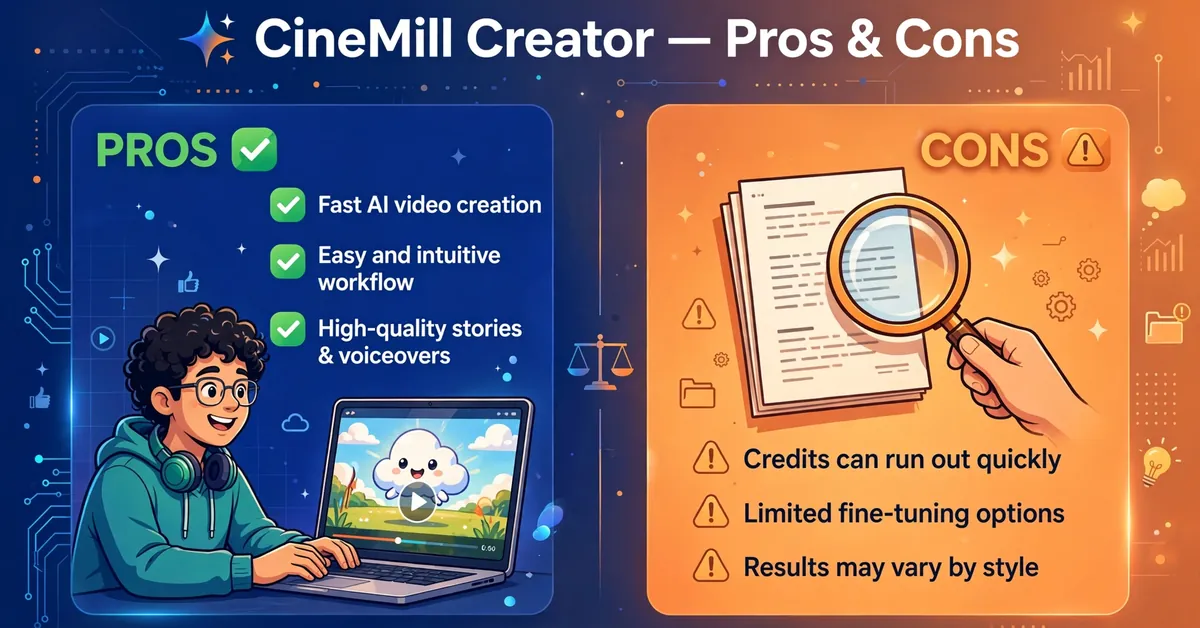
- One-time $17 price with no monthly fee.
- No API keys or surprise AI bills: 100,000 credits included.
- Complete studio in one app: script, voice, pictures, motion, music, and subtitles.
- Natural voices made on your computer with no per-character fees.
- Shorts and long videos from the same idea, in 16:9 and 9:16.
- Honest sales page: real disclaimers, no fake income promises.
The Cons
- Credits expire after one year: 100,000 credits cover about ten 10-minute videos.
- Pictures depend on Google Flow and your free Google account’s daily limits.
- Only US and UK English voices in the front end: seven languages need the Pro upgrade.
- Only 5 of 13 genres included: the rest need the Pro upgrade.
- OTO prices are not disclosed: Pro, Agency, Idea Vault, and Reseller prices are unpublished.
- Short 7-day refund, only for technical problems support cannot fix.
Who Should Buy CineMill Creator?
Best For
- New YouTubers who want a faceless channel without showing their face or using their voice.
- Storytellers and authors who want to turn stories and books into narrated videos.
- Parents and teachers who want gentle bedtime and moral stories for children.
- Marketers and freelancers who need story content for TikTok, Reels, and Shorts.
- Side-project builders who want a creative project that fits around a busy day.
Not For
- Editors who want full manual control over every cut, frame, and effect.
- Creators who need languages beyond English without paying for the Pro upgrade.
- Anyone who expects income from a few videos. The sales page itself says results take months of consistent work.
- Buyers on Linux or Chromebooks. The app runs on Windows 10 or 11 and macOS 14 or newer only.
CineMill Creator vs Alternatives
CineMill Creator vs Pictory
Pictory is a well-known AI video tool that turns scripts and articles into videos. It charges a monthly subscription, and the price rises with usage. CineMill costs $17 once, with no monthly fee. Pictory suits teams that need stock footage and a polished editor. CineMill suits solo creators who want story videos in a set genre style at a one-time price. The trade-off is clear: Pictory gives you more control, while CineMill gives you a lower cost and a simpler workflow.
CineMill Creator vs InVideo
InVideo is a template-based video maker with a large library and a monthly plan. It is strong for marketing videos and social clips. CineMill is built for one job: turning a story idea into a finished narrated video. If you make ads and promos, InVideo fits better. If you want to run a faceless story channel, CineMill’s genre styles, consistent characters, and one-time price fit better. InVideo also charges every month. CineMill does not.
CineMill Creator vs CapCut
CapCut is a free editor with strong manual tools. It costs nothing, but you do the work: write the script, find the voice, make the pictures, and edit the timeline. CineMill does all of that from one sentence. So the choice is time versus money. CapCut costs $0 and hours of your time per video. CineMill costs $17 once and about a minute of your time per video, plus the render time. If you enjoy editing, keep CapCut. If you want volume without editing, CineMill is the faster path.
My Exclusive CineMill Creator Bonuses
When you pick up CineMill Creator through my link, I am adding two original bonuses I created specifically to complement this package — not recycled freebies:
Bonus 1: Faceless Story Channel Launch Checklist — a step-by-step checklist that takes you from purchase to your first ten published videos: system checks, channel setup, idea planning, publishing routine, credit management, and a weekly growth plan.
⬇️ Download Bonus 1: Faceless Story Channel Launch Checklist (PDF)
Bonus 2: 50 Faceless Story Video Ideas for CineMill — 50 original one-sentence story prompts across money, wisdom, mystery, kids’ stories, motivation, history, science, and everyday heroes. Pick one, type it into CineMill, choose a genre, and press Create.
⬇️ Download Bonus 2: 50 Faceless Story Video Ideas for CineMill (PDF)
Both bonuses are free to download right here.
Click the download buttons above to get both bonuses instantly — no forms, no waiting.
Frequently Asked Questions
Is CineMill Creator a scam or legit?
CineMill Creator is legit in the sense that it is a real product with a clear offer, a named vendor collaboration, and a published refund policy. It is not a scam. However, it is a brand-new launch with no independent user reviews yet, the credit limit is real, and the upgrade prices are not disclosed. So buy it as a $17 tool with limits, not as a proven income system.
Do I need any technical skills?
No. You type an idea, pick a genre and a voice, and press Create. Installing is unzip and double-click, and the step-by-step guide shows every screen.
Is there a monthly fee?
No. It is a one-time payment that includes 100,000 AI credits. You can add more credits later if you make lots of videos, but you never have to.
Do I need ChatGPT, ElevenLabs, or an API key?
No. The script AI is built in and paid with your included credits. Voices are made on your computer. You need no API keys at all.
How are the pictures made?
With Google Flow, Google’s picture tool, which CineMill opens and drives for you in Chrome with your own free Google account. Google’s daily limits apply. If you reach one, continue later with one click.
How long does a video take?
About the length of the video plus the time for the pictures. A 10-second preview is ready early. You can use your computer for other things while it builds.
Can I monetize the videos?
The videos are yours to publish. YouTube decides what it monetizes, so make original, valuable videos and follow its rules. The vendor does not promise views or income.
Which languages are included?
US and UK English. The Pro upgrade adds Spanish, French, Italian, Portuguese (Brazil), and Hindi.
What if something doesn’t work?
You have a 1-year support warranty: email the vendor and they will fix it or help you, usually within 24 hours. If the app does not work on your computer because of a technical problem support cannot fix, ask within 7 days and they refund you.
Final Verdict: Is CineMill Creator Worth It?

Rating: 3.5/5
CineMill Creator is worth $17 if you want to start a faceless story channel and you accept its limits. The one-time price is fair, the workflow is genuinely simple, and the sales page tells the truth about income and proof. The credit cap, the Google Flow dependency, and the hidden upgrade prices are the real catches. None of them kills the deal at $17, but all of them matter if you plan to publish every day.
Buy it if: you want to launch a faceless story channel, you work in English, and you are happy to publish a few videos a week inside the credit limit.
Skip it if: you need other languages, all 13 genres, or client work on day one — or if you want a tool with a long public track record and independent reviews first.
✍️ My Personal Verdict
I rate CineMill Creator 3.5 out of 5, and that score comes from the evidence, not from hype. For $17, the offer is fair: a complete script-to-video pipeline with no monthly fee and no API keys is genuinely useful for anyone starting a faceless channel. What holds it back is the fine print. The credits expire in a year, the pictures lean on Google’s daily limits, and the upgrade prices stay hidden until checkout. I also like the vendor’s honesty here. The page admits its proof channels are not theirs and that results take months. That candor earns trust. If you buy it, use my launch checklist, spend your credits on Shorts first, and judge the tool on your tenth video, not your first.
Get CineMill Creator + My 2 Bonuses — $17 One-Time
Affiliate Disclosure
This review contains affiliate links. If you buy through them, Pickzox may earn a commission at no extra cost to you. I only recommend products I have researched honestly, and this review lists the real cons alongside the pros. Prices change over time, so check the live listing before you buy.